Printer Connection Issues
Red Printer Notification Bar:
Steps to try and reconnect the printer:
Method 1. Refresh the Webpage.
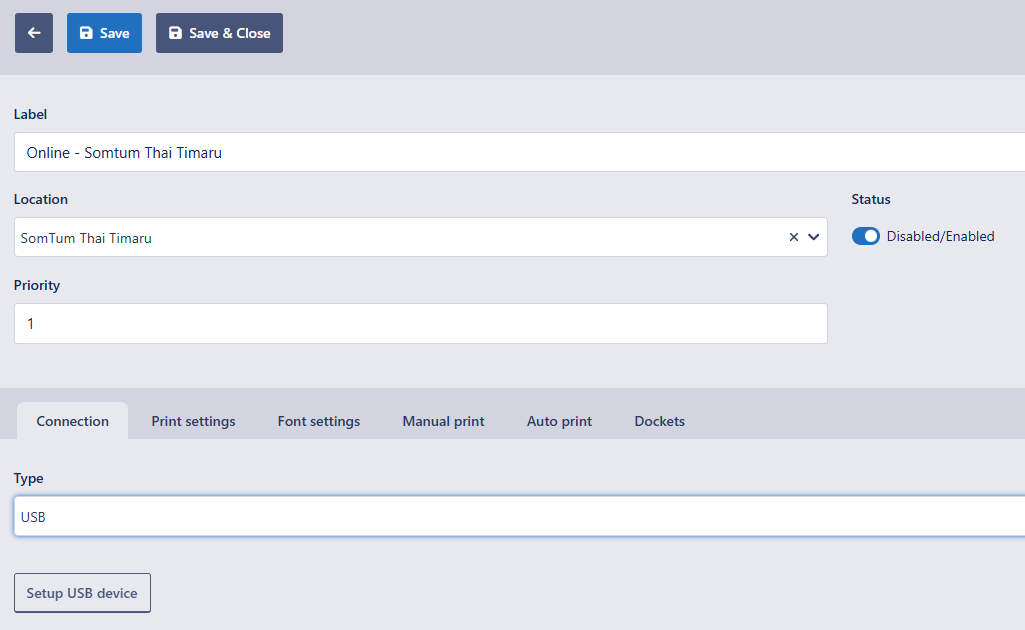
Method 2. Check if the Printer connection still prints "Success" - Tools>Printers>Edit Pencil>Connection>Setup USB Device>Select the Printer from the list.
then Save and refresh the webpage.
then Save and refresh the webpage.
Method 3. Clear the Webpage connected devices from this location on the Webpage and then repeat Method 2:

Black Idle printer Notification Bar, but still not printing:
Steps to test and then complete the reconnection of the printer:
Step 1. Clear the webpage's connected devices from this location on the webpage here.
Step 2. Reconnect the Printer connection - Tools>Printers>Edit Pencil>Connection>Setup USB Device>Select the Printer from the list.
If "Success" is printed continue to Step 3.
If "Success" is NOT printed call POSbiz Support on 03 365 7301
Step 3. Test changing a previous Order to the status "Received"
If it prints automatically it is fixed.
If it fails Call POSbiz Support on 03 365 7301
Yellow Notification Bar Saying ".....Connecting to Printer"
Steps to Check for Printer Connection:
Step1. Refresh the Webpage by pressing "Control, Shift and R" together to fully reload the webpage.
Step2. Check the Printer settings in the online dashboard
- If USB Check if the Printer connection still prints "Success" under Tools>Printers>Edit Pencil>Connection>Setup USB Device>Select the Printer from the list.
then Save and refresh the webpage.
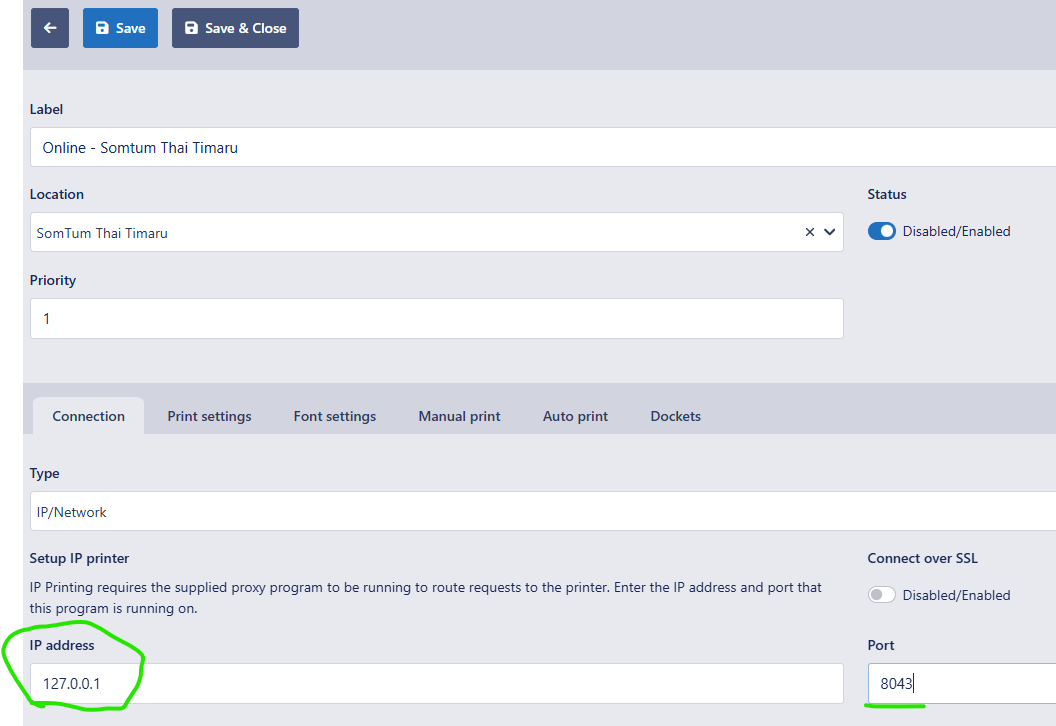
- If IP/Network Double check the Port matches Step3.
Step2. Check the Printer settings in the online dashboard
- If USB Check if the Printer connection still prints "Success" under Tools>Printers>Edit Pencil>Connection>Setup USB Device>Select the Printer from the list.
then Save and refresh the webpage.
- If IP/Network Double check the Port matches Step3.
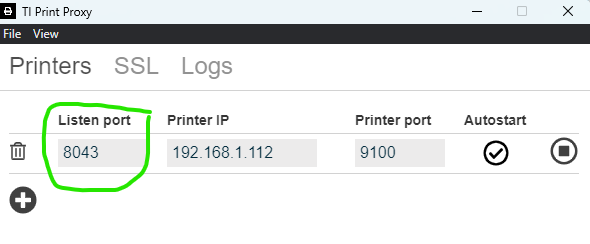
Step3. Check the T1 Printer Proxy settings if it is set to IP/Network Printing.
- Making sure the Listen port matches the IP Setting in the step above, as well as making sure the Printer IP address is correct.
- Check the Printer Connection in the "Logs" in the T1 Printer Proxy says "Connection"
Step4. Check the Orders to see if any of them that failed to print have Special Characters - If yes then change the "text encoding" on the printer settings from "Windows-1252" to "gb18030" and test again.